
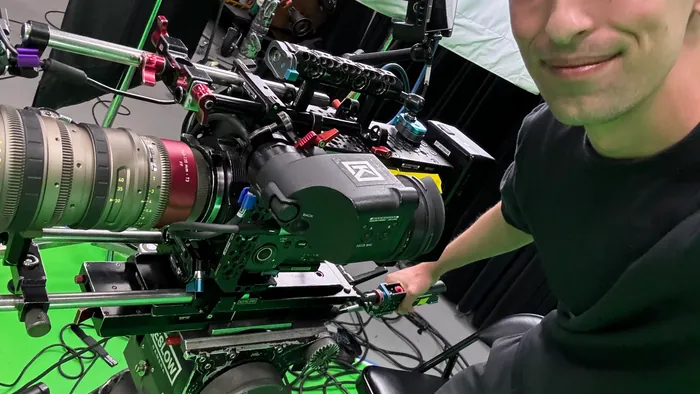
Most B2B marketing teams think about video production as a one-to-one exchange: one shoot produces one video. Budget gets approved, a crew comes in, a video gets made.
That model wastes the most expensive part of production: the shoot day itself.
A well-planned shoot day is a content engine. One day of production can generate a brand film, two cutdowns, a social video series, a sales enablement asset, and internal communications content. The footage exists. The marginal cost of extracting more from it is editing time, which is a fraction of what another shoot would cost.
Here is how to plan for it.
Plan your deliverables before you plan your shoot
This is the first and most important rule. Deliverables determine what footage you need. Footage determines how you plan your day. If you show up without a deliverables list, you will shoot for one output and discover later that you cannot make the others.
Before you write a shot list, write a deliverables list. Be specific about format, length, and placement for each:
- 2-minute brand film for the website homepage
- 60-second cutdown for sales email sequences
- 30-second paid media version
- Four 15-second social clips (one per key message)
- 5-minute product walkthrough for existing customers
Each of those deliverables requires specific footage. Plan the shoot to capture all of it.
Structure your interview questions for multiple outputs
Interviews are the most reusable footage in any shoot. A single interview subject can answer questions that generate content for five different videos.
The key is structuring questions so the answers work as standalone clips, not just as parts of a longer narrative.
For each key message, ask the question at least twice: once in a conversational way that produces a longer, context-rich answer, and once as a short, punchy version designed for a 15-second clip. “What does that mean for your customers?” produces different footage than “In one sentence, what does that mean for your customers?”
Also capture what editors call “bridging answers”: short, complete statements that can open or close any segment:
- “The thing that matters most to us is…”
- “If I had to describe it simply, I would say…”
- “That is what sets us apart from…”
These clips work in almost any context and give editors flexibility to build multiple versions without using the same interview moments twice.
Build a b-roll strategy, not a b-roll wish list
B-roll is the visual layer of your video. It covers cuts in interview audio, adds context, paces the edit, and (in social content) often carries the entire story on its own.
Most teams treat b-roll as a catch-all: “get some shots of the office, some product shots, people working.” That approach produces generic footage that looks like every other corporate video.
Build a b-roll strategy tied to your deliverables.
If you are making a social video series highlighting four different customer benefits, you need b-roll footage that illustrates each benefit independently. If one segment is about speed, you need dynamic footage with intentional motion. If one is about precision, you want slow, detailed shots of process and craft.
For a typical brand film plus social cutdowns, plan for:
- 60-90 minutes of interview coverage per subject
- 2-3 hours of b-roll coverage across relevant locations and subjects
- 30-45 minutes of any specific product, process, or environmental shots
That gives your editor enough raw material to construct multiple distinct-feeling pieces from a single shoot.
Think in formats, not just lengths
Cutdown thinking is “take the long version and make it shorter.” Format thinking is “build the right version for each platform.”
LinkedIn autoplay starts with no audio. Your 30-second LinkedIn version needs to open with a visual that tells a story without sound, and subtitles that carry the message.
A 15-second Instagram story runs vertically. The same footage framed for 16:9 delivery looks wrong cropped to 9:16. If you know you need vertical content, capture it on set.
A sales follow-up email video will be watched once, probably at 1.5x speed, by someone who already talked to your sales rep. It does not need a long brand intro. It needs to open in the first five seconds with the thing your prospect told your sales rep they cared about.
Plan for formats during the shoot, not after.
Capture content that only works live
There is footage you can only get on a shoot day that cannot be recreated in post. Capture it while you have access:
Authentic environment shots. The production floor, the lab, the server room, the loading dock. These spaces communicate something no words can replace. Capture them thoroughly. Shoot wide, medium, and tight. Capture motion: machines running, hands working, products moving.
Candid team moments. Staged “candid” shots look staged. Real candid shots require a camera operator who can work unobtrusively while other shooting is happening. Build time into your day for a second camera to roam.
Process sequences. Step-by-step sequences of how something is made or done. These are gold for explainer content, sales enablement, and internal training.
Executive and leadership presence. If a senior leader is on set, capture them doing something, not just saying something. A 20-second clip of the CEO walking the facility and pointing something out to a team member is more useful than a 20-second clip of a tight talking head.
The content leverage map
When we plan multi-deliverable shoots for clients, we use what we call a content leverage map: a visual diagram that shows how footage from one production day flows into different final assets.
A typical map looks like this:
Production Day
- Executive interviews (3 subjects, 45-60 min each)
- Employee/team b-roll (90 min)
- Facility and process b-roll (90 min)
- Product/service detail shots (45 min)
Primary deliverables (from one edit):
- 2-min brand film
- 60-sec brand cutdown
Social series (from interview selects + b-roll):
- 4x 15-sec LinkedIn clips (one per key message)
- 4x 30-sec Instagram reels
Sales enablement (from interview selects + process footage):
- 90-sec sales follow-up video
- Product capability walkthrough
Internal communications (from team and facility footage):
- Employee onboarding overview
- Leadership message clip
That is 12 to 14 distinct video assets from one shoot day.
The math makes sense: if a shoot day costs $8,000 and editing each additional deliverable costs $1,000 to $2,000, you are producing assets at a fraction of what each would cost with its own production day.
The constraint is planning, not budget
The teams that get the most from a production day are not the ones with the biggest budgets. They are the ones who plan carefully before the shoot.
That means:
- A complete deliverables list before the shot list is written
- Interview questions designed to generate clips for multiple outputs
- A b-roll plan tied to specific visual needs, not a general “get coverage” directive
- Format awareness built into the production, not added as an afterthought
If you are planning a production day with a fixed budget, the question is not “what can we make with this?” The question is “what do we need to capture today to produce everything we will need over the next six months?”
Start there, and you will not leave footage on the table.
Simplistic Views helps B2B marketing teams plan shoots that generate multiple deliverables from a single production day. We are based in Chicago and work with clients across the country. Talk to us about your next project.